MacBook Air vs MacBook Pro 2026 Comparison | Which Apple Laptop is Best?Compare MacBook Air vs MacBook Pro in 2026. Discover differences in performance, battery life, display, portability, gaming, video editing, pricing, and features to choose the best Apple laptop.
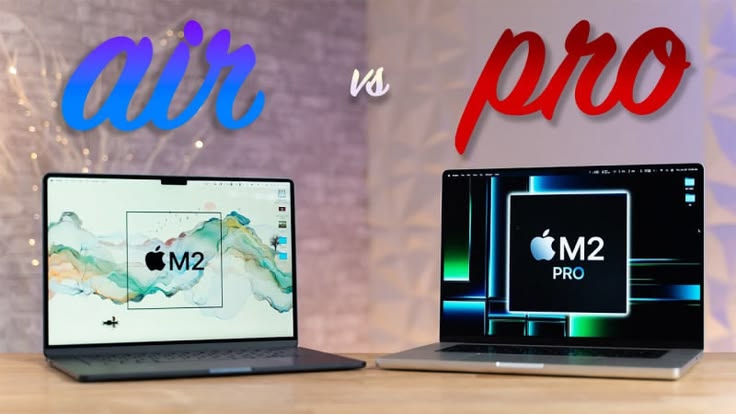
MacBook Air vs MacBook Pro (2026 Comparison)
Apple’s MacBook lineup continues to dominate the premium laptop market in 2026. Whether you are a student, content creator, professional editor, programmer, business user, or casual everyday user, choosing between the MacBook Air and MacBook Pro can be confusing.
Both laptops offer premium design, powerful Apple Silicon chips, excellent battery life, high-quality displays, and smooth macOS performance. However, they are designed for different types of users.
The MacBook Air focuses on portability, silent performance, and affordability, while the MacBook Pro targets power users who need advanced performance for editing, rendering, coding, music production, and multitasking.
In this detailed MacBook Air vs MacBook Pro comparison for 2026, we will explore:
- Design differences
- Performance comparison
- Battery life
- Display quality
- Portability
- Gaming performance
- Video editing capabilities
- Pricing differences
- Which MacBook is best for students, creators, and professionals
This complete buying guide will help you decide which Apple laptop fits your workflow and budget.
MacBook Air vs MacBook Pro – Quick Overview
Before diving deep into the comparison, here is a quick overview of both laptops.
MacBook Air
The MacBook Air is designed for:
- Students
- Office users
- Casual creators
- Writers
- Travelers
- Everyday multitasking
It is thin, lightweight, fanless, and highly portable.
MacBook Pro
The MacBook Pro is built for:
- Professional video editors
- Developers
- Designers
- Music producers
- Heavy multitaskers
- Advanced content creators
It offers stronger cooling, brighter displays, and significantly more sustained performance.
Design and Build Quality Comparison
Apple is known for premium laptop design, and both MacBook Air and MacBook Pro feature high-quality aluminum builds.
MacBook Air Design
The MacBook Air remains one of the thinnest laptops available.
Key Features
- Ultra-thin design
- Lightweight body
- Fanless silent operation
- Easy portability
- Minimalistic appearance
The Air is ideal for users who travel frequently or carry their laptops throughout the day.
Advantages of MacBook Air Design
- Easier to carry
- Comfortable for students
- Lightweight for office use
- Quiet operation without fans
MacBook Pro Design
The MacBook Pro is slightly thicker and heavier due to its advanced cooling system and more powerful hardware.
Key Features
- Premium aluminum chassis
- Larger thermal system
- More ports
- Better speakers
- Professional design
The Pro feels more like a workstation laptop built for demanding workloads.
Advantages of MacBook Pro Design
- Better cooling performance
- Stronger sustained performance
- More professional connectivity
- Improved audio system
Display Quality Comparison
Display quality is one of the biggest strengths of Apple laptops.
MacBook Air Display
The MacBook Air features a high-quality Liquid Retina display with:
- Sharp resolution
- Excellent brightness
- Accurate colors
- True Tone support
- Wide color gamut
For casual editing, browsing, office work, and media consumption, the Air’s display is excellent.
Best For
- Students
- Office users
- Casual creators
- Netflix and streaming
- Web browsing
MacBook Pro Display
The MacBook Pro offers a more advanced Liquid Retina XDR display.
Key Features
- Higher brightness levels
- Better HDR performance
- ProMotion 120Hz refresh rate
- Deeper contrast
- Superior color accuracy
The Pro’s display is designed for creators working with:
- Video editing
- Color grading
- Photography
- Animation
- Motion graphics
Why Professionals Prefer the Pro Display
The brighter display and HDR support make editing more accurate and visually immersive.
Performance Comparison
Performance is where the biggest difference appears.
MacBook Air Performance
The MacBook Air uses Apple Silicon chips that deliver excellent efficiency and smooth everyday performance.
Handles Tasks Like:
- Web browsing
- Office work
- Coding
- Casual editing
- Light Photoshop tasks
- Streaming
- School assignments
The Air performs surprisingly well even for light video editing.
Limitations
Because the Air uses a fanless design, it can throttle performance during long heavy workloads.
MacBook Pro Performance
The MacBook Pro is built for professional workflows.
Best For:
- 4K and 8K video editing
- Music production
- Heavy coding
- 3D rendering
- Animation
- Multitasking
- Virtual machines
The Pro includes active cooling, allowing the laptop to maintain high performance for longer periods.
Advantages of Active Cooling
- Better sustained performance
- Faster rendering
- Improved export speeds
- Reduced overheating
For professional creators, the Pro delivers a significant advantage.
Battery Life Comparison
Apple laptops are known for industry-leading battery life.
MacBook Air Battery Life
The Air delivers outstanding battery efficiency.
Typical Usage
- Web browsing
- Watching videos
- Office work
- Light editing
The Air can easily last a full day for many users.
Best For
- Students attending classes
- Travelers
- Remote workers
- Everyday productivity
MacBook Pro Battery Life
Despite its higher performance, the MacBook Pro also delivers exceptional battery life.
Best For
- Professional editing sessions
- Long coding sessions
- Video exports
- Intensive creative workloads
The Pro usually performs better during heavy tasks because of its larger battery and cooling system.
Portability Comparison
MacBook Air – Best for Portability
Portability is one of the biggest reasons people choose the MacBook Air.
Benefits
- Lightweight body
- Thin design
- Easy to carry
- Comfortable for travel
Students and office users often prefer the Air for this reason.
MacBook Pro – More Powerful but Heavier
The Pro is still portable, but heavier than the Air.
Why It’s Heavier
- Larger cooling system
- Bigger battery
- More advanced hardware
Professional creators usually accept the extra weight in exchange for stronger performance.
Keyboard and Trackpad Comparison
Apple offers excellent keyboards and trackpads across both models.
MacBook Air Keyboard
The Air’s keyboard is comfortable for:
- Typing
- Writing
- Blogging
- School work
- Office tasks
Its large trackpad remains one of the best in the laptop industry.
MacBook Pro Keyboard
The Pro provides a similar typing experience but feels slightly more premium due to its larger chassis.
Additional Benefits
- Better speaker placement
- Improved audio quality
- Better thermal spacing
For long editing or coding sessions, many professionals prefer the Pro.
Audio and Webcam Comparison
MacBook Air Audio
The Air offers impressive sound quality for its size.
Good For
- Video calls
- Streaming
- Casual content creation
- Online classes
MacBook Pro Audio
The Pro delivers one of the best speaker systems found on any laptop.
Benefits
- Deeper bass
- Better clarity
- Louder output
- Better microphones
Content creators, podcasters, and video editors benefit significantly from the Pro’s audio system.
Gaming Performance Comparison
Gaming is not the primary focus of MacBooks, but Apple Silicon has improved gaming capabilities.
MacBook Air Gaming
The Air can handle:
- Casual games
- Apple Arcade
- Light gaming
- Indie titles
However, thermal throttling can occur during extended gaming sessions.
MacBook Pro Gaming
The Pro performs better because of:
- Better cooling
- More GPU power
- Sustained performance
Still, Windows gaming laptops remain stronger for high-end gaming.
MacBook for Video Editing
MacBook Air for Editing
The Air works well for:
- 1080p editing
- Casual 4K editing
- YouTube videos
- Social media content
Limitations
Heavy timelines and large projects may slow down after prolonged editing.
MacBook Pro for Editing
The Pro is one of the best laptops for professional video editing.
Advantages
- Faster rendering
- Smooth playback
- Better export speeds
- Excellent Final Cut Pro optimization
- Handles large projects efficiently
Professional editors should strongly consider the Pro.
MacBook for Students
Why Students Prefer MacBook Air
The Air is extremely popular among students because it offers:
- Long battery life
- Lightweight design
- Affordable pricing
- Strong everyday performance
It is ideal for:
- Note-taking
- Research
- Assignments
- Presentations
- Online learning
Should Students Buy MacBook Pro?
Students studying:
- Video editing
- Animation
- Software development
- Graphic design
- Music production
may benefit from the additional power of the Pro.
MacBook for Programming and Coding
Both MacBooks are excellent for coding.
MacBook Air for Developers
The Air handles:
- Web development
- Python programming
- App development
- Student projects
Its portability makes it attractive for developers who travel frequently.
MacBook Pro for Advanced Developers
Professional developers may prefer the Pro for:
- Large codebases
- Virtual machines
- Docker containers
- AI workloads
- Advanced multitasking
The stronger cooling system helps during long compiling sessions.
Ports and Connectivity Comparison
MacBook Air Ports
The Air offers:
- USB-C/Thunderbolt ports
- MagSafe charging
- Headphone jack
For basic users, this is usually enough.
MacBook Pro Ports
The Pro includes additional connectivity options.
Extra Features
- HDMI port
- SD card reader
- More Thunderbolt ports
Creators working with cameras and external displays benefit from these extra ports.
Price Comparison
Price is one of the most important factors when choosing a MacBook.
MacBook Air Pricing
The Air is the more affordable option.
Best For
- Students
- Casual users
- Budget-conscious buyers
- Everyday productivity
It provides excellent value for money.
MacBook Pro Pricing
The Pro costs significantly more because of:
- Better cooling
- More powerful chips
- Superior display
- Better speakers
- Additional ports
Professional users often consider the higher price worthwhile.
MacBook Air vs MacBook Pro – Which One Should You Buy?
The right choice depends entirely on your needs.
Buy MacBook Air If You Want:
- Lightweight portability
- Lower price
- Excellent battery life
- Silent operation
- Everyday productivity
- Student-friendly laptop
The Air is perfect for most casual and general users.
Buy MacBook Pro If You Want:
- Professional performance
- Better display
- Advanced video editing
- Heavy multitasking
- Professional creative workflows
- More ports and connectivity
The Pro is ideal for demanding workloads.
Common Mistakes Buyers Make
1. Buying More Power Than Needed
Many users buy expensive Pro models even though the Air can easily handle their workflow.
2. Choosing Low Storage
Modern apps and files consume large amounts of storage.
3. Ignoring Future Needs
Buyers should consider long-term usage before selecting RAM and storage.
4. Focusing Only on Design
Performance and workflow requirements matter more than appearance.
Future of Apple Silicon MacBooks
Apple continues improving its custom Silicon chips every year.
Future Trends Include:
- Faster AI performance
- Better graphics
- Improved battery efficiency
- Better thermal management
- Enhanced gaming support
Apple Silicon has already transformed the laptop industry with its balance of power and efficiency.
Final Verdict
The MacBook Air and MacBook Pro are both outstanding laptops, but they target different users.
The MacBook Air is ideal for:
- Students
- Office workers
- Bloggers
- Travelers
- Casual creators
- Everyday users
It offers excellent battery life, portability, silent operation, and strong everyday performance.
The MacBook Pro is designed for:
- Professional editors
- Developers
- Designers
- Music producers
- Advanced creators
- Heavy multitaskers
Its active cooling, brighter display, stronger sustained performance, and advanced connectivity make it one of the best professional laptops available in 2026.
Ultimately, your choice should depend on:
- Budget
- Workload
- Portability needs
- Editing requirements
- Future usage plans
Both MacBooks provide premium experiences, and either choice can serve users exceptionally well for years.
Frequently Asked Questions (FAQ)
Is MacBook Air good for video editing?
Yes. The MacBook Air handles light to moderate video editing very well, especially for YouTube and social media content.
Is MacBook Pro worth the extra money?
For professionals working with heavy editing, rendering, and multitasking, the MacBook Pro is absolutely worth it.
Which MacBook is better for students?
The MacBook Air is generally better for students because of its portability, battery life, and affordability.
Can MacBook Air handle coding?
Yes. The MacBook Air is excellent for web development, app development, and general programming tasks.
Which MacBook has better battery life?
Both laptops offer excellent battery life, but the Air often lasts longer during light everyday tasks.
Is MacBook Pro better for gaming?
Yes. The MacBook Pro offers better sustained gaming performance due to its stronger cooling system and GPU power.
Conclusion
Choosing between the MacBook Air and MacBook Pro in 2026 comes down to understanding your personal workflow and priorities.
If portability, affordability, and everyday performance matter most, the MacBook Air is one of the best lightweight laptops available.
If you need professional-level performance for editing, coding, rendering, or creative production, the MacBook Pro remains one of the most powerful and reliable creator laptops on the market.
Apple’s MacBook lineup continues setting industry standards for battery life, build quality, display technology, and performance efficiency. Whether you choose the Air or the Pro, you are investing in a premium laptop designed to deliver long-term reliability and smooth user experience.