Explore the best 4K and OLED display laptops in 2026. Learn features, benefits, comparisons, and how to choose the perfect high-quality display laptop.
- laptops with best display quality
- 4K OLED laptops 2026
- best OLED laptops
- laptops with 4K display
- high resolution laptops
- best display laptops for creators
- premium laptop screens
Best 4k and OLED Display Laptops in 2026 – Complete Guide (2026)
When buying a laptop today, display quality is no longer a secondary feature—it’s often the deciding factor. Whether you’re editing videos, designing graphics, watching movies, or simply browsing, a high-quality screen can completely change your experience.
With advancements in display technology, 4K resolution and OLED panels have become the gold standard. These technologies deliver sharper visuals, richer colors, and a more immersive viewing experience than ever before.
In this detailed guide, you’ll discover everything you need to know about laptops with the best display quality, including how they work, their advantages, top options, and how to choose the right one for your needs.
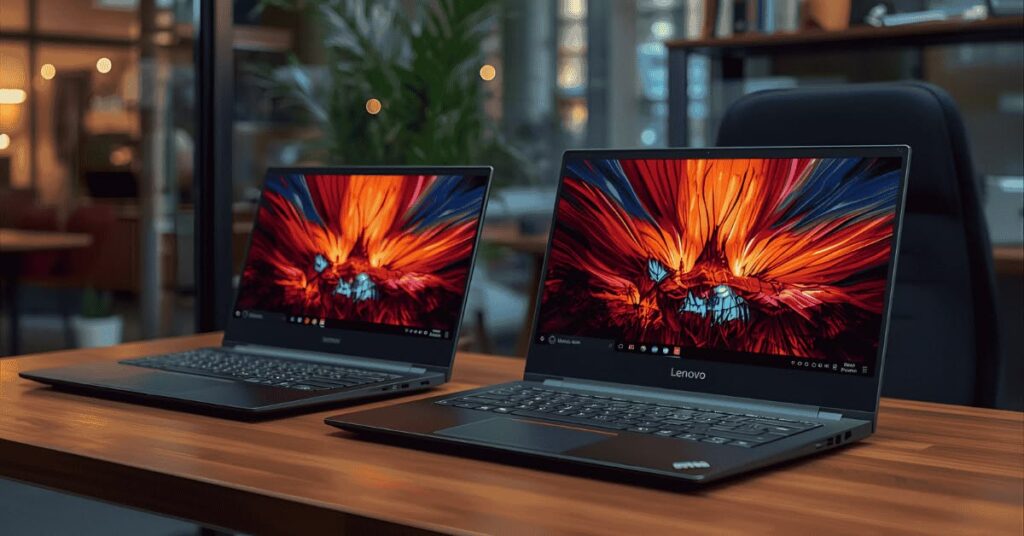
Why laptops Display Quality is More Important Than Ever
The display is the part of your laptop you interact with the most. A poor screen can ruin even the most powerful machine, while a great display can elevate everyday tasks.
1. Visual Clarity and Sharpness
High-resolution displays make text clearer and images more detailed. This is especially important for professionals working with visuals.
2. Better Color Representation
Modern laptops, especially OLED ones, produce colors that are closer to real life. This is crucial for content creators.
3. Comfort for Long Usage
Advanced displays reduce eye fatigue with features like low blue light and flicker-free technology.
4. Enhanced Entertainment
From streaming movies to gaming, a high-quality display delivers a more immersive experience.
Understanding 4K Resolution in Laptops
A 4K display typically offers a resolution of 3840 × 2160 pixels. Compared to standard Full HD screens, this means significantly more pixels packed into the same space.
What Makes 4K Special?
- Ultra-sharp visuals
- Better detail in images and videos
- More screen space for multitasking
- Ideal for creative professionals
However, 4K displays can consume more power, which may slightly impact battery life.
What Makes OLED Displays laptops Stand Out
OLED technology works differently from traditional LCD panels. Instead of using a backlight, each pixel produces its own light.
Key Advantages of OLED Displays laptops
- Deep, true blacks
- High contrast ratios
- Vibrant and saturated colors
- Wide viewing angles
- Fast response time
Because of these features, OLED display laptops are often preferred by designers, editors, and media professionals.
4K vs OLED laptops: Understanding the Difference
Many people think 4K and OLED are the same, but they refer to different aspects of a display.
- 4K refers to resolution (number of pixels)
- OLED refers to panel technology
Which One Should You Choose?
- For sharpness → Go for 4K
- For color and contrast → Choose OLED
- For the best experience → Pick a 4K OLED laptop
Top Laptops with Best Display Quality in 2026
Here are some of the most impressive laptops offering exceptional display performance.
1. Dell XPS 15 (OLED 4K Option)
This laptop is widely known for its premium build and stunning screen.
Highlights:
- Ultra-thin bezels
- Excellent color accuracy
- Strong performance for creators
Best For: Video editors, photographers, and professionals
2. ASUS ZenBook Pro OLED
A powerful machine designed for creative work.
Highlights:
- High-resolution OLED display
- Sleek and modern design
- Reliable performance
Best For: Designers and digital artists
3. HP Spectre x360 (OLED Variant)
A versatile 2-in-1 laptop with a beautiful display.
Highlights:
- Touchscreen OLED panel
- Convertible design
- Premium look and feel
Best For: Students and professionals who want flexibility
4. Lenovo Yoga Slim Series (OLED)
Lightweight yet powerful, with excellent display quality.
Highlights:
- Portable design
- Vibrant OLED screen
- Good battery optimization
Best For: Everyday premium users
5. Apple MacBook Pro (High-End Display)
While not OLED, Apple’s display technology offers exceptional brightness and color accuracy.
Highlights:
- Industry-leading color calibration
- Smooth performance
- Excellent for professional workflows
Best For: Creators and developers
Who Should Buy 4K & OLED Laptops?
1. Content Creators
If you work in video editing, photography, or design, you need accurate colors and high resolution.
2. Gamers
Although gamers often prioritize refresh rate, a high-resolution display enhances visual quality.
3. Movie Lovers
OLED displays provide a theater-like experience with deep blacks and vivid colors.
4. Professionals
For multitasking and presentations, a sharp display improves productivity.
Important laptops Display Features to Consider
Choosing the right display involves more than just 4K or OLED.
1. Color Accuracy
Look for displays with high color gamut such as:
- 100% sRGB
- 100% DCI-P3
2. Brightness Levels
A brighter screen is easier to use in different lighting conditions.
- Standard: 300 nits
- Ideal: 400–600 nits
3. HDR Support
HDR enhances contrast and makes visuals more dynamic.
4. Screen Size and Aspect Ratio
Larger screens and taller aspect ratios improve productivity.
5. Refresh Rate
Higher refresh rates (90Hz or 120Hz) provide smoother visuals.
Advantages of High-Quality Displays laptops
✔ Exceptional Viewing Experience
Everything looks sharper and more vibrant.
✔ Professional-Level Accuracy
Perfect for editing and design tasks.
✔ Better Multitasking
More pixels mean more workspace.
Disadvantages to Keep in Mind
✖ Higher Cost
Premium displays increase the overall price.
✖ Battery Usage
High-resolution screens consume more power.
✖ OLED Burn-In Risk
Although rare, static images can cause burn-in over time.
Is a 4K OLED Laptops Worth It?
The answer depends on your usage.
Worth It If:
- You are a creative professional
- You consume high-quality content
- You want a premium experience
Not Necessary If:
- You use your laptop for basic tasks
- You want maximum battery life
- You are on a tight budget
Tips to Maintain OLED Display laptops Health
- Avoid keeping static images for long
- Use dark mode when possible
- Lower brightness when not needed
- Enable screen timeout
Future Trends in Laptops Displays
Display technology continues to evolve rapidly. Some upcoming innovations include:
- Mini-LED displays
- Micro-LED technology
- Foldable laptop screens
- Higher refresh rate OLED panels
These advancements will further improve brightness, efficiency, and durability.
How to Choose the Best Display Laptops (Step-by-Step)
Step 1: Identify Your Needs
Decide whether you need the laptop for gaming, editing, or daily use.
Step 2: Prioritize Display Features
Focus on resolution, panel type, and color accuracy.
Step 3: Balance Performance
A great display should be paired with a powerful processor and enough RAM.
Step 4: Compare Models
Always compare multiple laptops before making a final decision.
Step 5: Check Reviews
Real user reviews provide better insights than specifications alone.
Conclusion
The demand for laptops with the best display quality is growing rapidly, and for good reason. Whether it’s the sharpness of 4K resolution or the vibrant colors of OLED panels, these technologies significantly enhance the way you use your laptop.
If you want the best possible experience, a 4K OLED laptop is the ideal choice. It combines ultra-high resolution with stunning color accuracy, making it perfect for both work and entertainment.
However, always consider your budget and usage before making a decision. Not everyone needs a premium display, but for those who do, the upgrade is absolutely worth it.