Discover the best laptops for YouTube creators in 2026. Explore top laptops for video editing, 4K content creation, streaming, thumbnail design, and fast rendering with powerful performance.
Table of Contents
Powerful & Best Laptops for YouTube Creators in 2026
Creating YouTube videos in 2026 requires more than just a camera and editing software. Modern content creators work with 4K footage, advanced transitions, motion graphics, AI-powered editing tools, livestreaming setups, and high-quality thumbnails. Because of this, choosing the right laptop has become one of the most important decisions for YouTubers.
A slow laptop can affect your editing workflow, increase render times, cause lag while previewing videos, and reduce productivity. On the other hand, a powerful creator laptop can make video editing smoother, improve multitasking, and help creators upload content faster.
Whether you are a beginner YouTuber, professional video editor, gaming creator, travel vlogger, tech reviewer, or live streamer, this guide covers everything you need to know about selecting the best laptop for YouTube content creation.
In this detailed guide, you will learn:
- What specifications YouTube creators need
- Best laptops for beginners and professionals
- Which processor and GPU work best for editing
- Why display quality matters
- Best laptops for Adobe Premiere Pro and DaVinci Resolve
- Tips for choosing a future-proof creator laptop
- Common mistakes creators should avoid
Let’s explore the best laptop options and features that can help YouTube creators grow their channels efficiently.
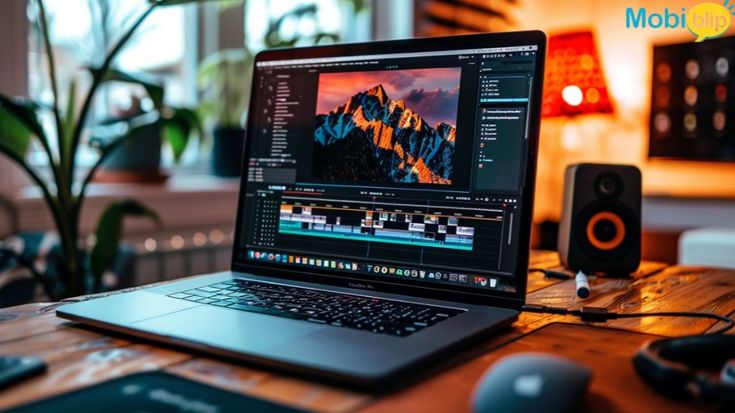
Why YouTube Creators Need Powerful Laptops
YouTube content creation is no longer limited to basic 1080p editing. Most creators now work with:
- 4K and even 8K video footage
- Multi-camera editing
- AI-powered effects
- Motion graphics and animations
- Audio enhancement tools
- High-resolution thumbnails
- Livestreaming software
- Screen recording applications
All of these tasks require strong hardware performance. A basic office laptop may struggle with heavy editing software like Adobe Premiere Pro, After Effects, or DaVinci Resolve.
A creator-focused laptop helps in:
Faster Video Rendering
Powerful processors and GPUs reduce export times significantly.
Smooth Timeline Playback
High RAM and dedicated graphics ensure smooth editing without frame drops.
Better Color Accuracy
Creators need accurate displays for editing thumbnails, videos, and graphics.
Multitasking Efficiency
Modern creators often run editing software, browsers, music apps, and streaming tools simultaneously.
Better Portability
Laptop creators can edit videos while traveling, attending events, or working remotely.
Important Features to Look for in a YouTube Creator Laptop
Before buying a laptop for YouTube content creation, it is important to understand the most critical specifications.
1. Processor (CPU)
The processor is the brain of the laptop. Video editing and rendering rely heavily on CPU performance.
Recommended CPUs for Creators
- Intel Core Ultra 7 or Ultra 9
- Intel Core i7 or i9 H-series processors
- AMD Ryzen 7 or Ryzen 9 processors
- Apple M3 or M4 series chips
For professional editing, avoid low-power processors designed only for office tasks.
2. Graphics Card (GPU)
A dedicated graphics card is essential for modern video editing workflows.
Recommended GPUs
- NVIDIA GeForce RTX 4060
- RTX 4070
- RTX 4080
- Apple integrated GPU architecture
- AMD Radeon creator GPUs
The GPU helps accelerate rendering, AI tools, effects processing, and playback performance.
3. RAM
RAM affects multitasking and editing performance.
Minimum RAM Recommendations
- 16GB RAM for beginners
- 32GB RAM for professional creators
- 64GB RAM for advanced 8K editing workflows
Insufficient RAM can slow down editing software and cause crashes.
4. Storage
Video files consume large amounts of space.
Recommended Storage
- Minimum 1TB SSD
- NVMe SSD for fast performance
- External SSD support for backup storage
Avoid traditional hard drives for editing workflows because they are slower.
5. Display Quality
Display quality is extremely important for creators.
Best Display Features
- 4K resolution
- OLED panels
- High brightness
- Accurate colors
- Wide color gamut
- HDR support
A poor display may lead to incorrect colors in videos and thumbnails.
6. Battery Life
Creators who travel frequently need strong battery performance.
Apple Silicon laptops and some premium Windows ultrabooks now offer impressive battery efficiency.
7. Ports and Connectivity
Creators often use:
- Cameras
- SD cards
- External SSDs
- Microphones
- Capture cards
- External monitors
Useful ports include:
- Thunderbolt 4
- USB-C
- HDMI
- SD card reader
- USB-A
Best Laptops for YouTube Creators in 2026
Below are some of the best laptop categories and options creators should consider.
1. Apple MacBook Pro – Best Overall for Professional Creators
The MacBook Pro continues to dominate the creator industry due to its powerful Apple Silicon chips, exceptional battery life, and highly optimized video editing performance.
Why Creators Love It
- Excellent Final Cut Pro performance
- Smooth 4K and 8K editing
- Long battery life
- Quiet operation
- Stunning Liquid Retina XDR display
- Strong color accuracy
Best For
- Professional YouTubers
- Filmmakers
- Editors using Final Cut Pro
- Travel creators
- Podcast editors
Advantages
- Fast exports
- Premium build quality
- Reliable software ecosystem
- Excellent thermal management
Limitations
- Expensive upgrades
- Limited gaming performance
- Fewer upgrade options compared to Windows laptops
The MacBook Pro remains one of the safest choices for creators who prioritize stability and efficiency.
2. ASUS ProArt Series – Best Windows Laptop for Creators
The ASUS ProArt lineup is specifically designed for creators who need accurate displays and high-end performance.
Key Features
- OLED displays
- RTX graphics
- Creator-focused design
- Excellent cooling systems
- High-resolution panels
Why It Stands Out
ASUS ProArt laptops balance portability and workstation-level performance. They work exceptionally well for Adobe Premiere Pro, Blender, Photoshop, and DaVinci Resolve.
Best For
- Professional editors
- Graphic designers
- Animators
- Creative agencies
Advantages
- Strong GPU performance
- Great display calibration
- Multiple connectivity options
- Creator software support
3. Dell XPS 16 – Best Premium Design Laptop
The Dell XPS lineup is known for premium build quality and beautiful displays.
Why Creators Prefer It
- Thin and lightweight design
- Sharp 4K display options
- Powerful Intel processors
- Good battery optimization
Best For
- YouTubers who travel frequently
- Students learning content creation
- Lifestyle creators
- Business creators
Strengths
- Premium appearance
- Compact design
- Excellent display quality
- Smooth multitasking
The Dell XPS series combines elegance and performance for creators who want portability without sacrificing power.
4. Razer Blade Series – Best for Gaming and YouTube Content
Gaming creators need laptops that can handle both gaming and editing workloads.
The Razer Blade series offers:
- High refresh rate displays
- Powerful RTX GPUs
- Premium design
- Strong editing performance
Best For
- Gaming YouTubers
- Streamers
- Esports creators
- Reaction channels
Benefits
- Excellent gaming performance
- Fast rendering speeds
- High-quality display panels
- Advanced cooling systems
These laptops are expensive but extremely powerful for demanding creative tasks.
5. Lenovo Legion Series – Best Value for Performance
Lenovo Legion laptops provide excellent performance at competitive pricing.
Why Creators Choose Legion
- Powerful hardware
- Good thermal performance
- Competitive pricing
- Large displays
Best For
- Budget-conscious creators
- Beginner YouTubers
- Gaming content creators
- Freelance editors
Advantages
- Strong price-to-performance ratio
- Excellent cooling
- Upgrade-friendly designs
- Reliable gaming and editing performance
Legion laptops are among the best choices for creators who want maximum power without paying premium creator-laptop pricing.
6. HP Spectre x360 – Best Convertible Laptop for Creators
The HP Spectre x360 is ideal for creators who need flexibility.
Features
- Touchscreen display
- 2-in-1 convertible design
- OLED panel options
- Lightweight design
Best For
- Students
- Thumbnail designers
- Digital artists
- Mobile creators
Benefits
- Portable and stylish
- Great battery life
- Touch support for creativity
- Premium keyboard and trackpad
It may not match workstation laptops in raw performance, but it offers excellent versatility.
Best Budget Laptops for Beginner YouTubers
Not every creator needs an expensive workstation laptop. Beginners can still create excellent videos with budget-friendly options.
Acer Nitro Series
Acer Nitro laptops provide:
- Good RTX graphics
- Strong gaming performance
- Affordable pricing
- Decent cooling
These laptops are ideal for beginner editors using Premiere Pro or CapCut.
ASUS TUF Gaming Series
The ASUS TUF lineup is known for durability and value.
Benefits
- Strong GPU performance
- Affordable configurations
- Good thermal systems
- Reliable battery life
Budget creators can use these laptops for editing, streaming, and thumbnail creation.
MSI Creator and Gaming Laptops
MSI offers creator-focused and gaming-focused laptops with strong specifications.
Why MSI Works for Creators
- RTX graphics
- High refresh displays
- Good cooling
- Competitive pricing
These laptops are suitable for creators who want strong rendering performance without spending excessively.
Best Operating System for YouTube Creators
Many creators ask whether they should choose macOS or Windows.
macOS Advantages
- Excellent battery life
- Optimized editing software
- Smooth ecosystem
- Reliable performance
- Great for Final Cut Pro users
Windows Advantages
- More hardware choices
- Better gaming support
- Easier upgrades
- Wider software compatibility
- Better customization options
The right choice depends on your workflow, software preference, and budget.
Best Software Used by YouTube Creators
The laptop you choose should support professional creative applications.
Popular Editing Software
- Adobe Premiere Pro
- DaVinci Resolve
- Final Cut Pro
- CapCut Desktop
- Adobe After Effects
- Photoshop
- Lightroom
- OBS Studio
Heavy software requires powerful CPUs, GPUs, and sufficient RAM.
Why OLED Displays Are Important for Creators
OLED displays are becoming increasingly popular among creators.
Advantages of OLED Panels
- Deep blacks
- Better contrast
- Vibrant colors
- Better HDR performance
- Improved viewing angles
Creators working with color grading and thumbnails benefit greatly from OLED technology.
However, OLED laptops can be more expensive compared to standard IPS panels.
Common Mistakes YouTube Creators Make When Buying Laptops
Many creators purchase laptops without understanding their actual needs.
1. Buying Low RAM Models
8GB RAM laptops struggle with modern editing workflows.
2. Ignoring Display Quality
Poor displays can negatively affect color grading and thumbnail design.
3. Choosing Weak Cooling Systems
Overheating reduces performance during long editing sessions.
4. Buying Small Storage Configurations
Video projects quickly consume SSD space.
5. Focusing Only on Gaming Performance
Gaming laptops are powerful, but creators also need color accuracy and creator-focused features.
How Much Should You Spend on a Creator Laptop?
Your budget should depend on your content creation level.
Beginner Creators
Recommended Budget:
- $700 to $1200
Best For:
- 1080p editing
- Basic YouTube videos
- Thumbnail design
- Entry-level streaming
Intermediate Creators
Recommended Budget:
- $1200 to $2000
Best For:
- 4K editing
- Regular uploads
- Professional thumbnails
- Motion graphics
Professional Creators
Recommended Budget:
- $2000 to $4000+
Best For:
- Advanced editing
- 8K workflows
- Animation
- Heavy rendering
- Commercial production
Tips to Improve Laptop Performance for Video Editing
Even a powerful laptop performs better with proper optimization.
Keep Drivers Updated
Updated GPU drivers improve editing performance and stability.
Use External SSDs
Store large projects externally to maintain internal SSD performance.
Close Background Apps
Unused applications consume RAM and CPU resources.
Use Cooling Pads
Cooling pads can reduce thermal throttling during heavy workloads.
Upgrade RAM if Possible
Additional RAM improves multitasking and rendering speed.
Future Trends in Creator Laptops
Creator laptops continue evolving rapidly.
AI-Powered Editing
AI tools now assist with:
- Automatic subtitles
- Background removal
- Smart editing
- Noise reduction
- Color enhancement
Better Battery Efficiency
Modern processors deliver higher performance with lower power consumption.
Improved OLED Technology
Displays are becoming brighter, more accurate, and more energy efficient.
Faster SSD Storage
Future laptops will continue improving file transfer and rendering speeds.
Final Thoughts
The best laptop for YouTube creators depends on your editing style, software requirements, budget, and content type.
Professional creators working with heavy 4K or 8K footage should prioritize powerful CPUs, RTX graphics, high RAM capacity, and premium displays.
Beginners can start with budget-friendly gaming or creator laptops and upgrade later as their channels grow.
A great creator laptop should offer:
- Fast performance
- Smooth editing
- Reliable cooling
- Excellent display quality
- Strong battery life
- Sufficient storage
Investing in the right laptop can improve productivity, reduce editing stress, and help creators publish high-quality content consistently.
As YouTube competition increases in 2026, efficient hardware is becoming just as important as creativity. Choosing a reliable creator laptop can save time, improve workflow, and support long-term channel growth.
Whether you create gaming videos, travel vlogs, tutorials, reaction videos, tech reviews, or cinematic documentaries, the right laptops.
Conclusion
Choosing the best laptop for YouTube creation is one of the smartest investments a creator can make. A powerful laptop helps speed up editing, improve content quality, and support long-term creative growth.
From premium creator workstations to budget-friendly gaming laptops, there are many excellent options available in 2026.
Focus on performance, display quality, storage, RAM, and reliability rather than just branding. The right creator laptop can help you produce professional-quality videos efficiently and stay competitive in the fast-growing world of digital content creation.
- SEO meta title